
1. From the Manage User Dashboard, select the relevant team member
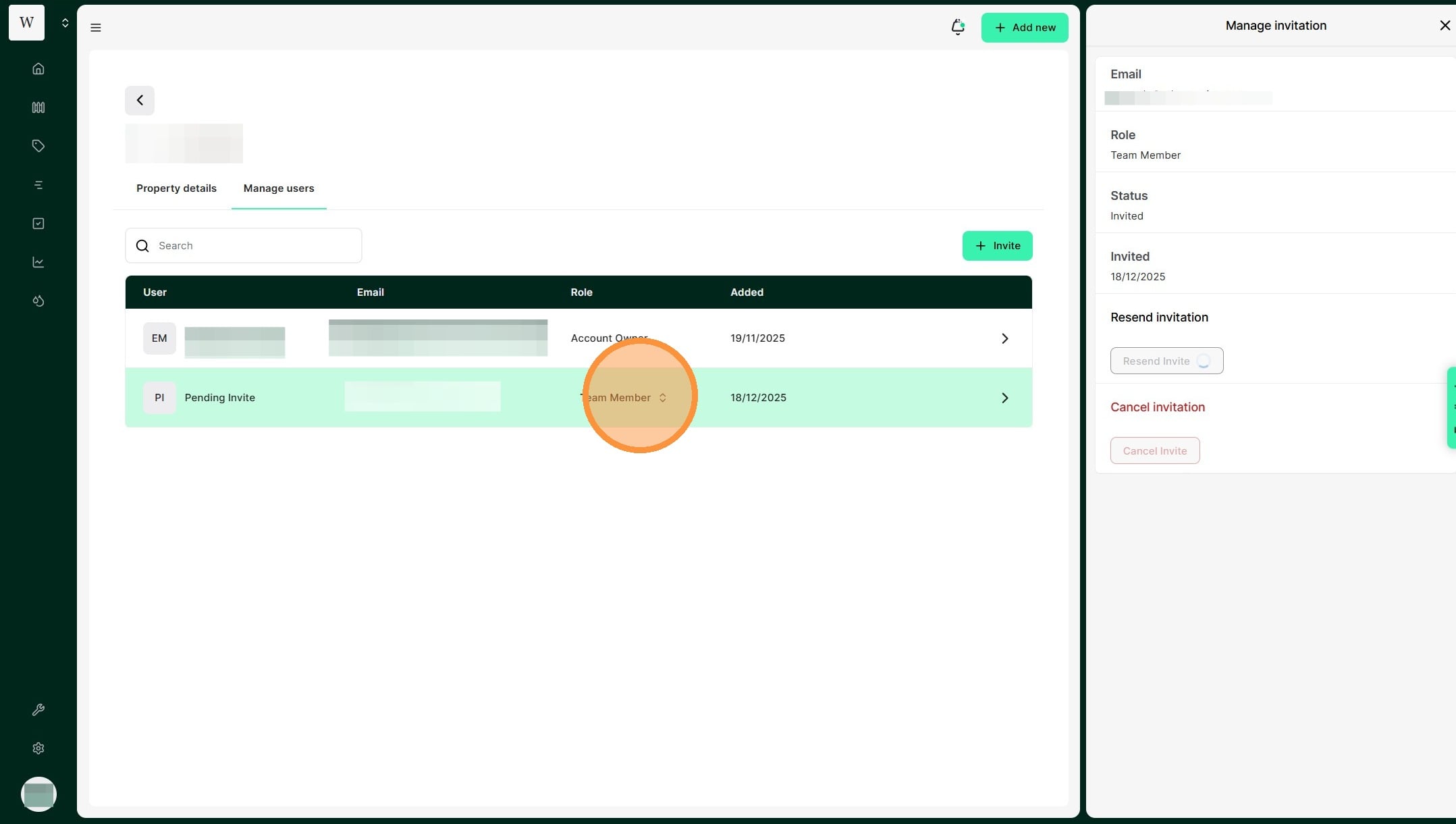
2. Click on the users current role
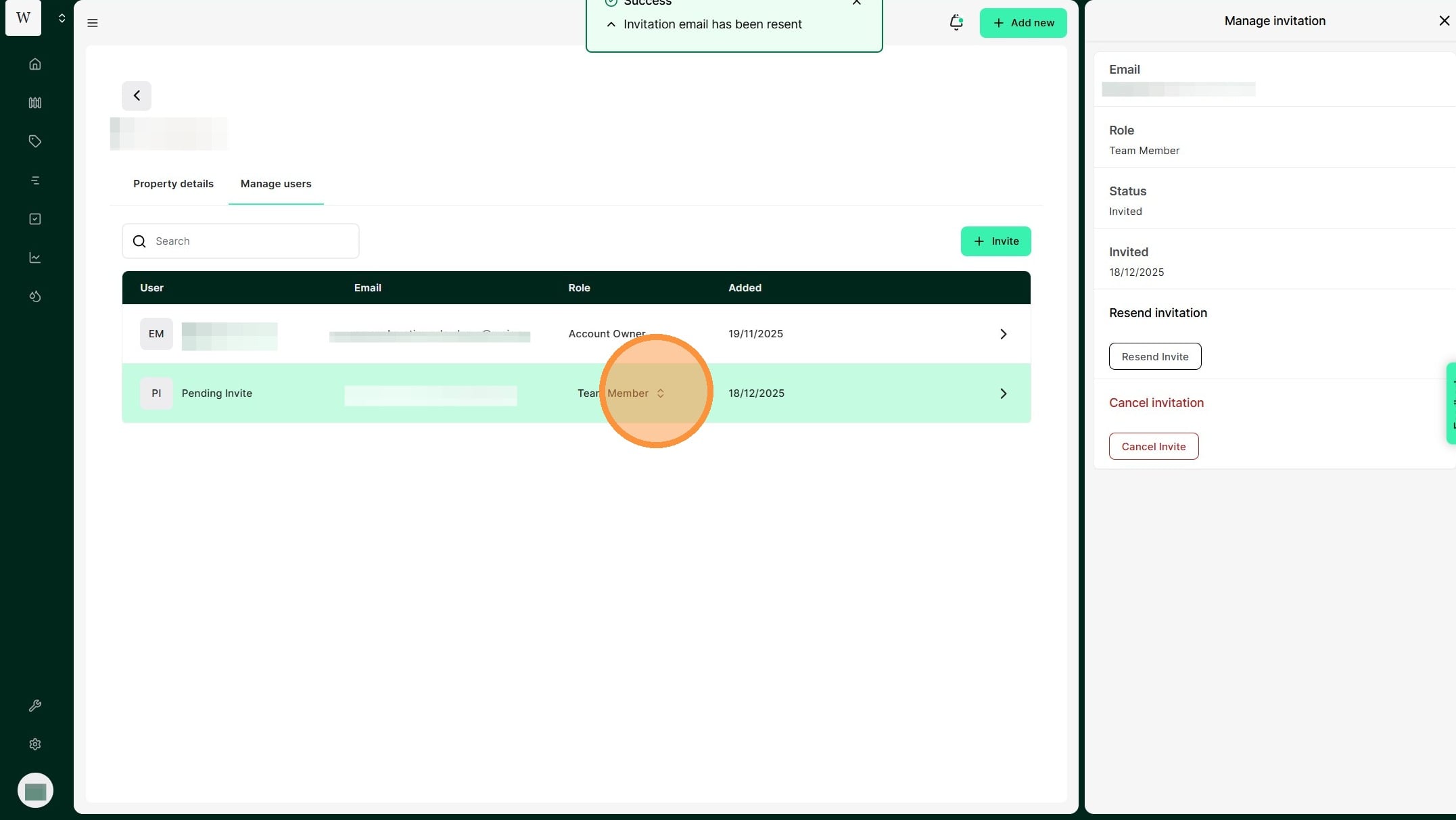
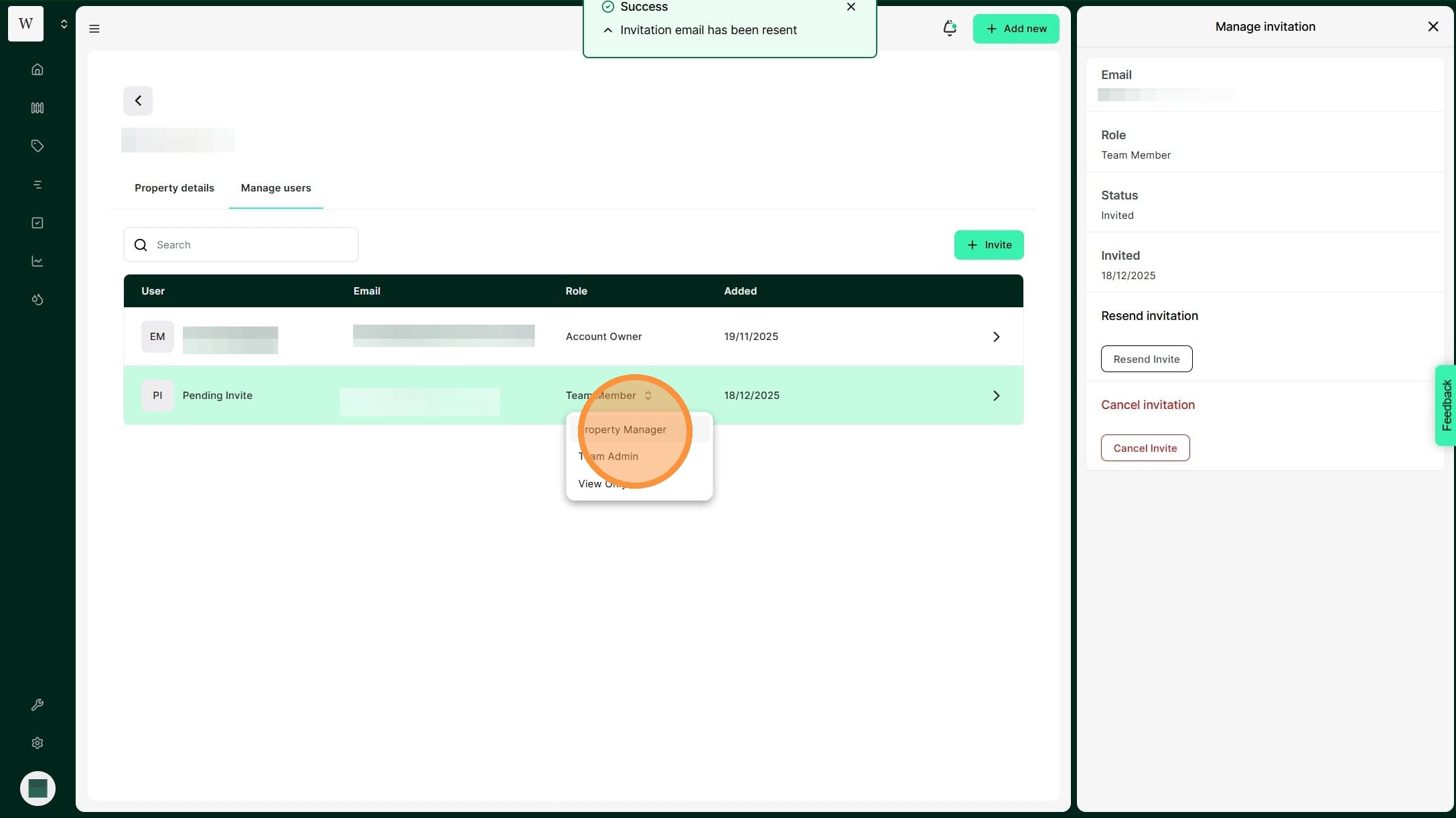
3. Select the new access role
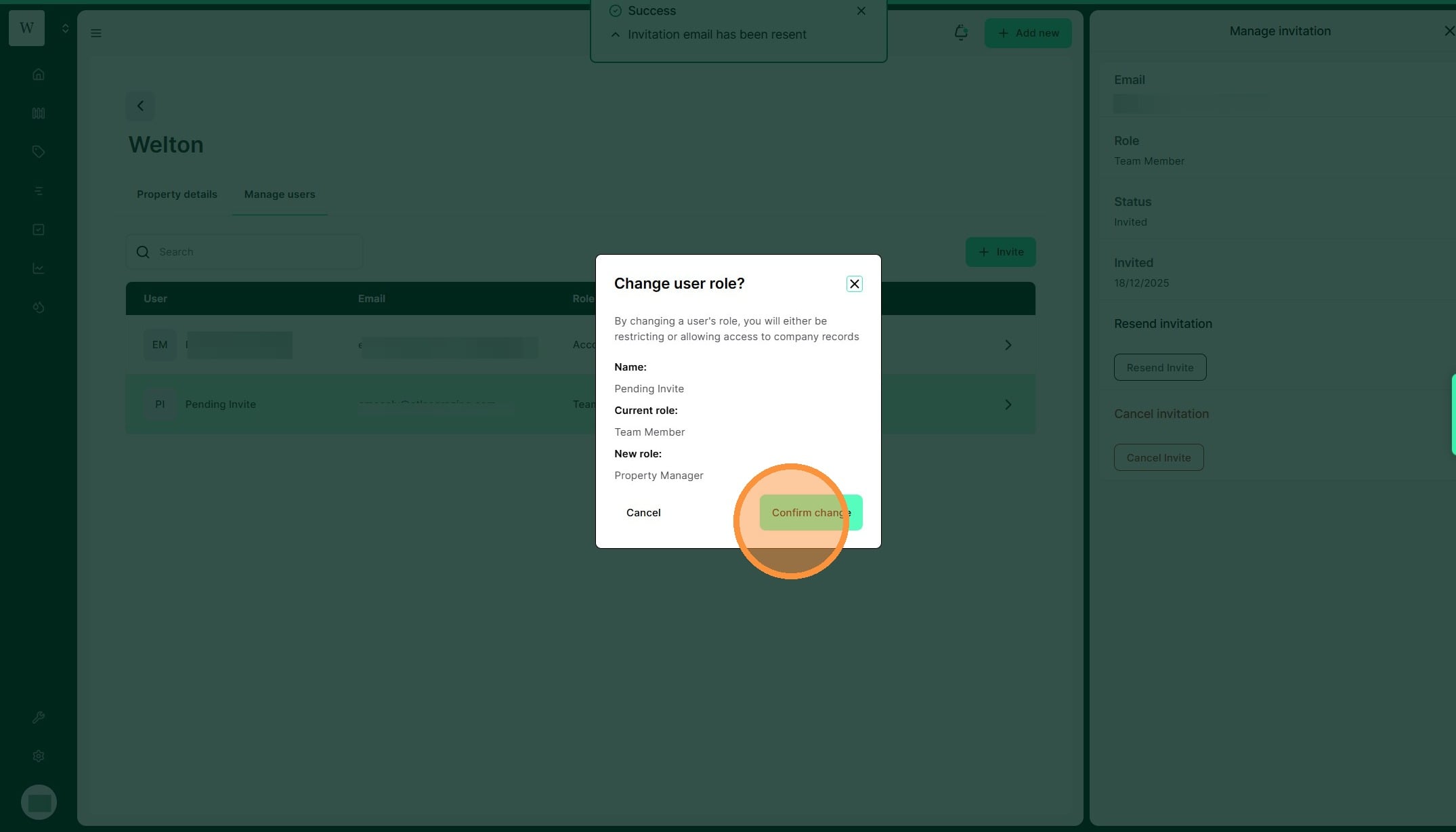
4. Review all details before selecting "Confirm change" to complete
1. From the Manage User Dashboard, select the relevant team member
2. Click on the users current role
3. Select the new access role
4. Review all details before selecting "Confirm change" to complete