Stockflow reports is a downloadable report which gives you a snapshot of all your livestock changes within a selected period. This can help you reconcile headcount movements, verify numbers before a sale or just give you a data only view of your stock performance to help you plan for what you want to do next.
Settings > Select your Property > Reports
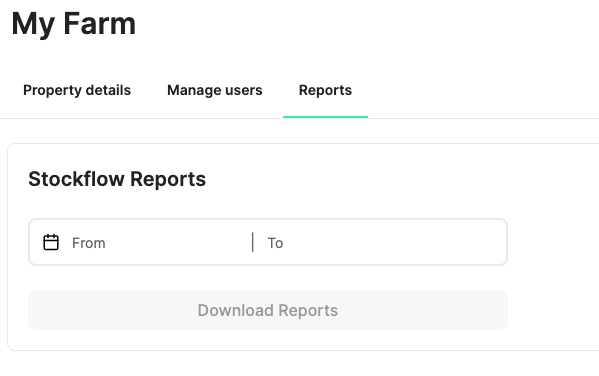
Note: This is only available to Owners, Admins and Property Managers, so if you cannot find it, then you do not have permission to access it.
Go to the reports tab under your property settings
Select the From date field to open the date picker
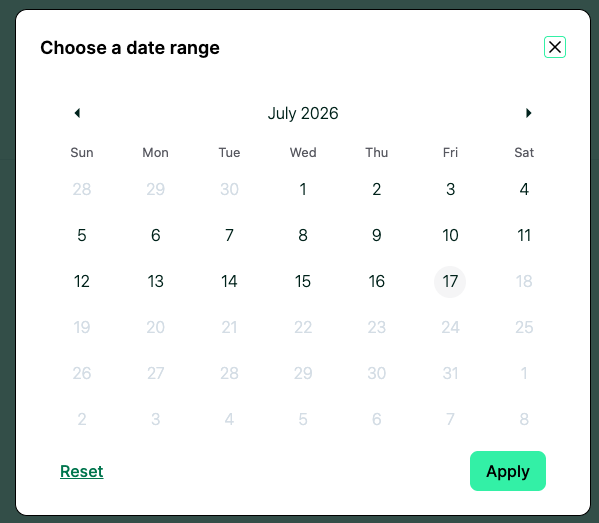
Select a date where you want your reporting period to begin
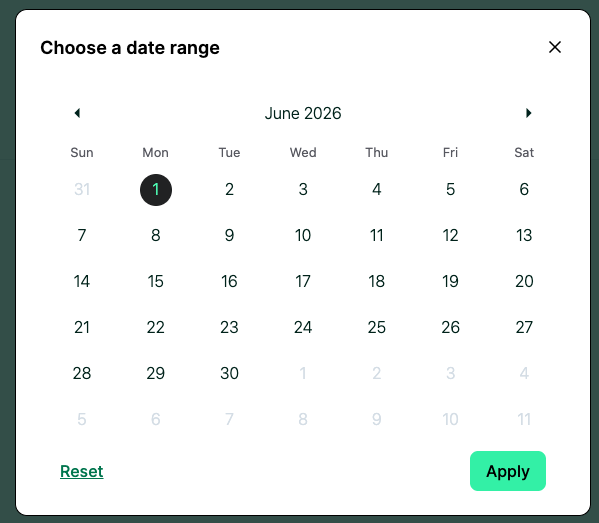
Select a date where you want your reporting period to end
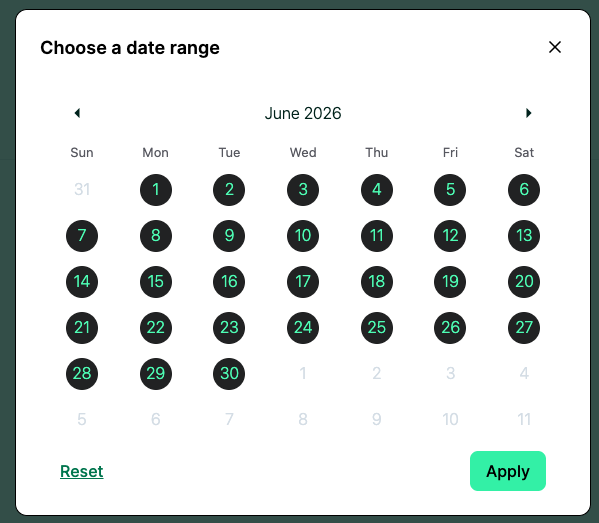
Select Apply. You will now see the Download Reports button has become active (green).
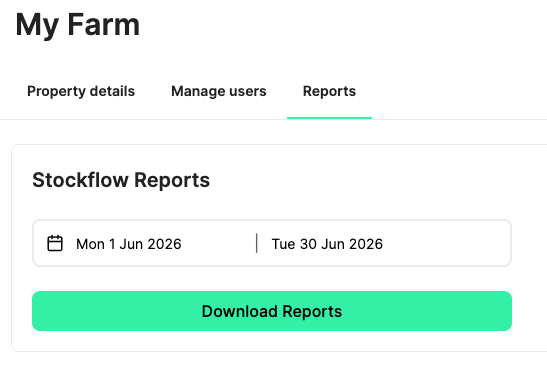
Select Download Reports and the ZIP file containing the CSVs will begin to download in your web browser.
Unzip the contents of the ZIP file which will contain the following CSV files:
- Eventlog
- KPIs
- Stock class detail
- Stock group detail
Open the CSV file in your preferred application. CSVs can be opened in Excel, Google Sheets or Numbers (for Mac).
Eventlog - The Event Log is a line by line breakdown of all events that have changed the composition of a stock group.
property_name: the name of your property
stock_group: the name of the stock group
stock_class: the stock class assigned to that stock group
event_type: the type of event that has made a change to the stock groups headcount, weight or rating
event_date: the date the above event occurred on
hd_change: the change to the headcount caused by the event (if applicable)
stockgroup_hdcount: the headcount of the stock group after the event
avg_weight_kg: the average weight, in kilograms, after the event
KPIs - This is a snapshot of the key performance indicators for the reporting period you have selected.
property_name: the name of your property
date_range: the date range you selected when downloading the stockflow report
exported_by: the name of the person who downloaded the report
exported_date: the date the report was downloaded
total_head: the total headcount on the property by the end of the reporting period
total_hd_increase: the total number of livestock added in the reporting period
total_hd_decrease: the total number of livestock removed in the reporting period
total_closing_weight: the total weight of all livestock at the end of the reporting period
total_weight_gain: the total weight at the end of the reporting period minus the total weight at the beginning of the reporting period
total_demand_ddh: total feed demand at the end of the reporting period in stock days per hectare
total_kgdm: total KG of dry matter based on feed estimates during the reporting period
Stock class detail: A list of all of the stock classes, summarising events that made changes to weight, rating or headcount.
stock_class: the stock class e.g. Heifer, Cow, Ewe, Lamb etc…
weight_band: the weight band the stock classes falls into within this reporting period
open_hd: the headcount at the beginning of the reporting period
closing_hd: the headcount at the end of the reporting period
hd_diff: the difference between open_hd and closing_hd
class_change: how many head changed to that class during the reporting period
avg_weight: the average weight in KGs of the stock class in the reporting period
avg_adg: the average, average daily gain in KG of the stock class in the reporting period
purchases: how many head were purchased into the stock class during the reporting period
births: how many head were birthed into the stock group class during the reporting period
sales: how many head were sold out of this stock group class during the reporting period
deaths: how many head were recorded dead during the reporting period
recount_lost: how many head were reported lost during the reporting period
recount_found: how many head were reported found during the reporting period
Stock group detail: A list of all of the stock groups, summarising events that made changes to weight, rating or headcount.
property_name: the name of your property
stock_group: the name of the stock group
mob: the name of the mob the stock group belongs to
paddock: the name of the paddock the mob was in at the end of the reporting period
stock_class: the stock class the stock group has been assigned
open_date: if the stock group was created during the reporting period, the date it was created on (blank if not applicable)
closing_date: if the stock group headcount is reduced to zero during the reporting period, what date that happened on (blank if not applicable)
open_hd: the headcount at the beginning of the reporting period
closing_hd: the headcount at the end of the reporting period
hd_diff: the different between open_hd and closing_hd
open_avg_weight: the average weight of the stock group, in kilograms, at the beginning of the reporting period
ending_avg_weight: the average weight of the stock group, in kilograms, at the end of the reporting period
adg: (ending_avg_weight - open_avg_weight)/number of days in the reporting period
purchases: how many head were purchased into the stock group during the reporting period
births: how many head were birthed into the stock group during the reporting period
sales: how many head were sold out of this stock group during the reporting period
deaths: how many head were recorded dead during the reporting period
recount_lost: how many head were reported lost during the reporting period
recount_found: how many head were reported found during the reporting period
merge_in: number of head merged into the stock group
split_out: number of head split out of the stock group